Referee Simulator Weekly Updates Playbook
A practical checklist for every ReF - Studios weekly drop - verify, recalibrate, then whistle again.
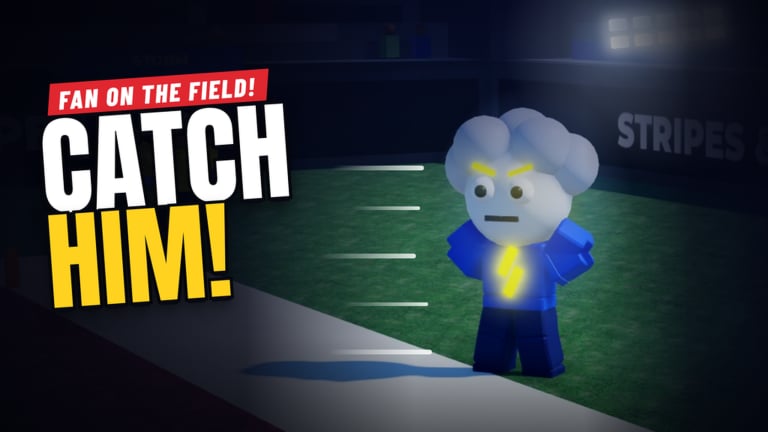
Referee Simulator: College Football is built for iteration. ReF - Studios advertises weekly updates, which is excellent for a living sports sim and annoying if you treat last month’s muscle memory as sacred law. This playbook explains where to look for notes, what to retest in ten focused minutes, and how to keep your crew aligned after each drop.
Studio context: ReF - Studios. Hub overview: Updates Hub. Latest month snapshot: November 2026 Updates. Official place: Roblox game page (Place ID 133904667859735).
Why weekly cadence matters for refs
Officiating is timing. Tiny changes to:
- Flag commit windows
- Fight interact ranges
- Fan sprint speed or spawn cadence
- Camera or menu layouts
- Collision props on the field
…can turn an A-tier hold into a miss or make your security path late. The Penalty Priority framework survives; your examples need refresh.
Where to read notes (in order)
- Official Roblox game description / developer messages on the real place ID
- ReF - Studios group posts linked from that page
- Any Discord or social channel the studio explicitly advertises
- Trusted creators who show dated footage of this game - see Players Hub
Do not trust random “update log” sites that also invent codes or scripts.
The 10-minute calibration session
Run this after every weekly drop before serious co-op:
- Minutes 0-2: Movement and camera - confirm Controls still feel right; menus did not move.
- Minutes 2-5: Deliberate flag throws on obvious contact (Call Flags).
- Minutes 5-7: Fight close + interact (Break Up Fights).
- Minutes 7-9: Fan intercept geometry (Catch Fans).
- Minute 9-10: Triage drill - friend yells a random S-tier job while you stare at a soft foul.
If something feels broken, clip it before blaming the universe. Then check whether teammates feel the same.
What to watch for in patch text
Even short notes can hide important verbs:
- Adjusted / tuned / fixed on detection or hitboxes - retest flags and fights
- Improved performance - retest on mobile thermal throttling
- Added props or stadium pieces - new sight-line blockers
- Event language - temporary fan or fight rate changes
- Code / reward language - verify on Codes Hub before celebrating (none confirmed as of November 2026)
We will not invent patch numbers here. When official text is thin, the calibration session is your source of truth.
Co-op habits after a patch
On up to seven-player servers:
- Spend thirty seconds reaffirming roles (line, deep, security)
- Agree to softer flaming for one session while timings settle
- Update your shared call language if a former S-tier job got slower
- Ban executor “fix” talk - Safety Guide
Linking updates to the rest of the wiki
- New onboarding friction - reread Getting Started
- Input UI moves - Controls
- Priority arguments - Tier List Hub
- Impersonator patch posts - Links Hub
Long-term tracking tips
Keep a tiny personal log:
- Date of session
- One timing note (“fan intercept needs earlier cut”)
- One crew note (“security rotate every two chaos drives”)
Four weeks of logs beat one viral misinformation clip.
Launch baseline versus living meta
Remember the fixed facts so you do not patch-myth them away:
- Released 2026-09-20, free-to-play on Roblox
- Developer/publisher: ReF - Studios
- Place ID 133904667859735, Universe ID 10767196606
- Online co-op, max seven players
- Core jobs remain flags, fights, and fans even when tuning shifts
Everything else - exact sprint feel, interact forgiveness, menu labels - is allowed to move weekly. If a creator still teaches pre-launch habits without a date stamp, treat their clip as historical flavor, not current law. Cross-check with your own calibration and with Getting Started when the stadium layout itself changes.
Related pages
Expect change, schedule calibration, then enjoy the new week’s whistle.
Frequently Asked Questions
Quick answers for codes, flags, fights, and fan catching.
Does Referee Simulator really update weekly?
ReF - Studios promotes a weekly cadence. Always verify on official channels, then run the calibration checklist in-game.
What if patch notes are missing detail?
Use the 10-minute calibration session as your practical changelog. Clip anything that feels newly wrong.
Can weekly updates add promo codes?
Possible in theory, but none are confirmed as of November 2026. Check the Codes Hub before redeeming rumors.
Should we change our whole tier list after every drop?
Keep the S/A/B/C framework. Retest S-tier fights, fans, and obvious flags; adjust examples only when timing clearly shifted.