Referee Simulator Patch Notes & Weekly Cadence
Track how ReF - Studios iterates on flags, fights, fans, and quality-of-life after the September 2026 launch.
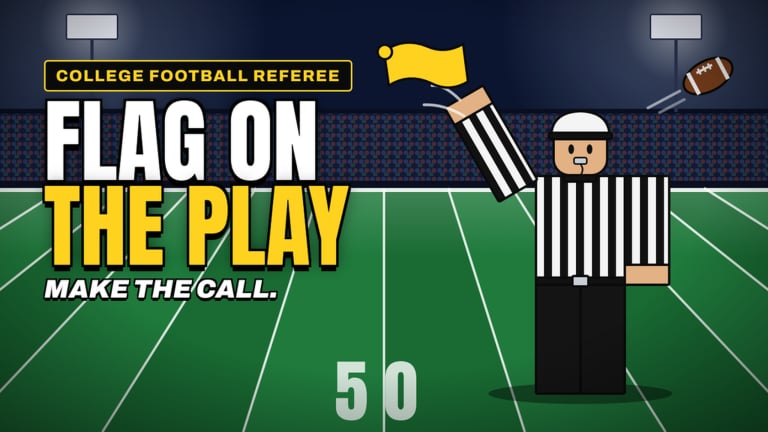
The Updates Hub tracks how Referee Simulator: College Football evolves after its 2026-09-20 Roblox launch. ReF - Studios markets a weekly update rhythm, which matters more in a timing-heavy referee sim than in a slow tycoon. A single tweak to flag windows, fight break hitboxes, or fan sprint speed can invalidate last week’s habits.
Use this hub to build a patch-reading routine, then open Weekly Updates for the practical checklist and November 2026 Updates for the latest mid-to-late November place activity.
Why weekly cadence changes your practice plan
College football energy on a seven-player Roblox server already feels busy. Add weekly patches and you get:
- New animations or props that block old sight lines
- Retuned detection for holds, late hits, or scrapes
- Event-style fan behaviors during seasonal weekends
- UI moves that change where you glance for match state
Instead of grinding one routine forever, schedule a short calibration session after each drop: ten minutes of intentional flags, one fight drill, one fan chase. Pair that with Call Flags, Break Up Fights, and Catch Fans.
What we log on this wiki
We prioritize player-facing changes:
- Gameplay timing and officiating tools
- Co-op or server-size notes if they appear
- Confirmed promo code drops (still none as of November 2026 — see Codes)
- Notable bug fixes that affected fair matches
We avoid inventing patch numbers or changelog lines we have not verified. When official notes are thin, we describe how to verify changes yourself rather than hallucinating patch text.
Launch context you should remember
Confirmed baseline facts:
- Platform: Roblox only
- Developer/publisher group: ReF - Studios
- Place ID: 133904667859735
- Universe ID: 10767196606
- Release: 2026-09-20, free-to-play
- Loop: call flags, break up fights, catch running fans
- Co-op: online, maxPlayers 7
Early-life visits and favorites move quickly; treat social proof as interest, not as a substitute for reading notes. For studio background, see ReF - Studios.
How updates interact with other hubs
- Guides — reread Getting Started and Controls if onboarding or inputs shift.
- Tier list — revalidate Penalty Priority after combat-adjacent or detection tweaks.
- Scripts — weekly breaks already punish brittle hooks; see Scripts and Safety Guide.
- Links — pull announcements from official channels listed on Links Hub.
Community etiquette after a patch
Lobby chat gets spicy when a familiar call suddenly misses. Good practice:
- Ask whether others feel the same timing change.
- Record a short clip before claiming a soft ban or “broken game.”
- Avoid recruiting executors as a “fix.”
- Update your crew’s lane assignments if fan or fight volume changed.
Hub navigation
- Weekly Updates — cadence, verification checklist, what to watch each week
- November 2026 Updates — mid/late November place activity, visits snapshot, fake-code warnings
- Guides Hub — rebuild muscle memory after notes land
- Players Hub — who ships the build
- Codes Hub — only if a patch includes a real promo
Come back to this Updates Hub whenever the game feels “off.” Often the answer is not that you forgot how to ref — it is that the weekly build moved the window by a fraction of a second.
Frequently Asked Questions
Quick answers for codes, flags, fights, and fan catching.
How often does Referee Simulator update?
ReF - Studios promotes weekly updates. Always verify the latest notes on official channels, then run a short calibration session in-game.
Where are full patch notes posted?
Check the official Roblox game page, ReF - Studios group posts, and any Discord the developers advertise. The Weekly Updates page explains what to look for.
Do updates add promo codes?
Sometimes sports games attach codes to milestones, but none are confirmed for this title as of November 2026. See the Codes Hub before trusting rumors.
Should I change my tier list after every patch?
Re-test S-tier safety jobs and any detection-heavy flags. Keep the framework; adjust examples when timing clearly shifted.