Referee Simulator Field Positioning Guide
Stand where flags, fights, and fans are visible — not where the TV camera looks cool.
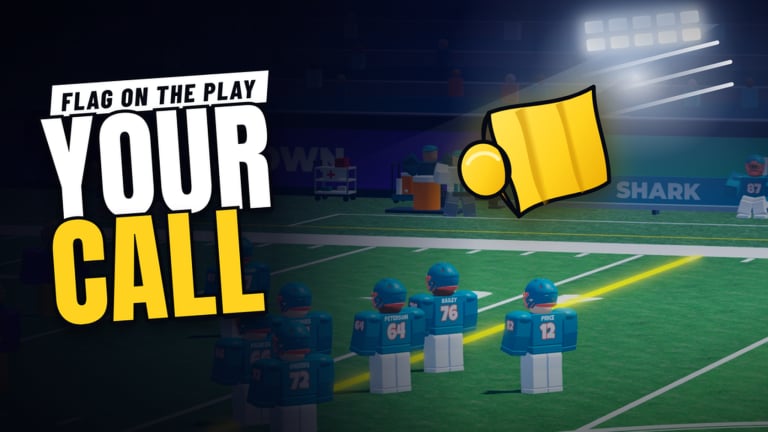
Great calls start with feet. In Referee Simulator: College Football by ReF - Studios, most missed flags are positioning problems dressed up as “I didn’t see it.” This guide covers where to stand, when to move, and how to keep sight lines open on a busy Roblox college field.
Baseline facts: released 2026-09-20, Place ID 133904667859735, Universe ID 10767196606, max seven co-op players, weekly updates. Pair this page with Controls for movement inputs and Getting Started for the overall loop.
The three sight-line jobs
You are always trading attention among:
- Play contact — blocks, holds, late shots → Call Flags
- Temper piles — post-whistle scrapes → Break Up Fights
- Crowd breaches — running fans → Catch Fans
Positioning means staying close enough to act on the highest-priority job without locking your camera into a dead angle. Use Penalty Priority when two jobs light up together.
Landmark map (mental)
Build a private map every session:
- Hashes / numbers — midfield orientation for fan intercepts
- Sideline barriers — common fan entry and fight drift zones
- End-zone depth — late-hit and celebration scrap risk
- Bench / stand edges — where invaders first appear
- Camera-pretty midfield — the trap spot where new refs freeze
If you catch yourself standing still for “cinematic” reasons, take two steps toward the next likely collision.
Pre-snap / pre-chaos stance
Even when the sim is continuous chaos, reset between events:
- Face the densest cluster of players without putting your back to the stands
- Keep one shoulder angled toward the nearest sideline (fan lane)
- Leave space to sprint — do not hug the pile so tightly that fight interact fails
- In co-op, claim a lane out loud (Co-op Crew)
Movement rules that raise call quality
Rule 1 — Move on the throw, not after the regret
When you decide a flag is live, step into a clearer angle while committing. Hovering in a bad pocket and hoping the animation faces you wastes the window.
Rule 2 — Never all-in on soft contact
Soft brushes tempt you to plant and stare. While you stare, fights and fans spawn. Take one confirming step, then re-scan security lanes.
Rule 3 — Curve your chase paths
Straight-line sprints at fans often overshoot. Aim slightly ahead of their path (see Catch Fans) and keep the field center in peripheral view.
Rule 4 — Exit fights to a useful reset spot
After a breakup, do not celebrate in the mud. Peel to a hash or numbers spot that sees both the next pile and a sideline.
Mobile versus PC positioning
- Mobile: Smaller FOV pressure — take wider arcs and avoid corner camping.
- PC: Easy to over-flick the camera — stabilize before the throw.
- Both: retest feel after weekly updates; camera or collision tweaks change “good” pockets.
Co-op spacing diagram (words)
Imagine the field in thirds:
- Near third — line judge energy for holds and short scrapes
- Middle third — rover / triage (Sideline Jobs)
- Far third — deep contact and late hits
Security floaters hug the sideline third closest to the loudest stands. If two refs occupy the same third for more than a few seconds, one must rotate.
Drills (solo or duo)
- Orbit drill (3 minutes): Circle a moving pile without entering it; keep stands visible.
- Sideline bounce (3 minutes): Sprint to the barrier, touch, return to hashes — fan-ready feet.
- Blind-spot callout (2 minutes): Partner names a zone behind you; turn and confirm before acting.
- Post-fight reset (2 minutes): After every interact, you must reach a named landmark before the next job.
Run these after the November 2026 cadence notes or any weekly drop that mentions movement, collisions, or stadium props.
Mistakes that look like “bad eyes”
- Watching from the perfect broadcast angle while contact happens off-screen
- Standing inside the fight so interact prompts fail
- Chasing fans with your back fully to the play
- Stacking three refs in the near third on a full server
- Ignoring patch-changed props that now block a former favorite pocket
Tie-ins across the wiki
- Inputs: Controls
- Decision order: Penalty Priority
- Crew lanes: Co-op Crew
- Studio honesty: ReF - Studios, Links
- Rewards rumors: still no confirmed codes — Codes Hub
Positioning will not make every call perfect. It makes the next correct call possible. Plant your feet where the job is, not where the screenshot looks cool.
Frequently Asked Questions
Quick answers for codes, flags, fights, and fan catching.
Where should a new ref stand first?
Near the densest player cluster with one shoulder open to the sideline. Avoid the pretty midfield camera pocket until you can move without thinking.
Why do I miss fights even when I am close?
Standing inside the pile can break interact angles. Close distance, then leave enough space to complete the breakup action.
Does positioning change on mobile?
Yes. Take wider arcs and recheck FOV after patches. The Controls guide covers device-specific movement tips.
How does co-op change positioning?
Split the field into thirds and assign near, middle, and far coverage so multiple refs are not stacked in one pocket.